Resource overview
What to know about Cloud Brush Set.
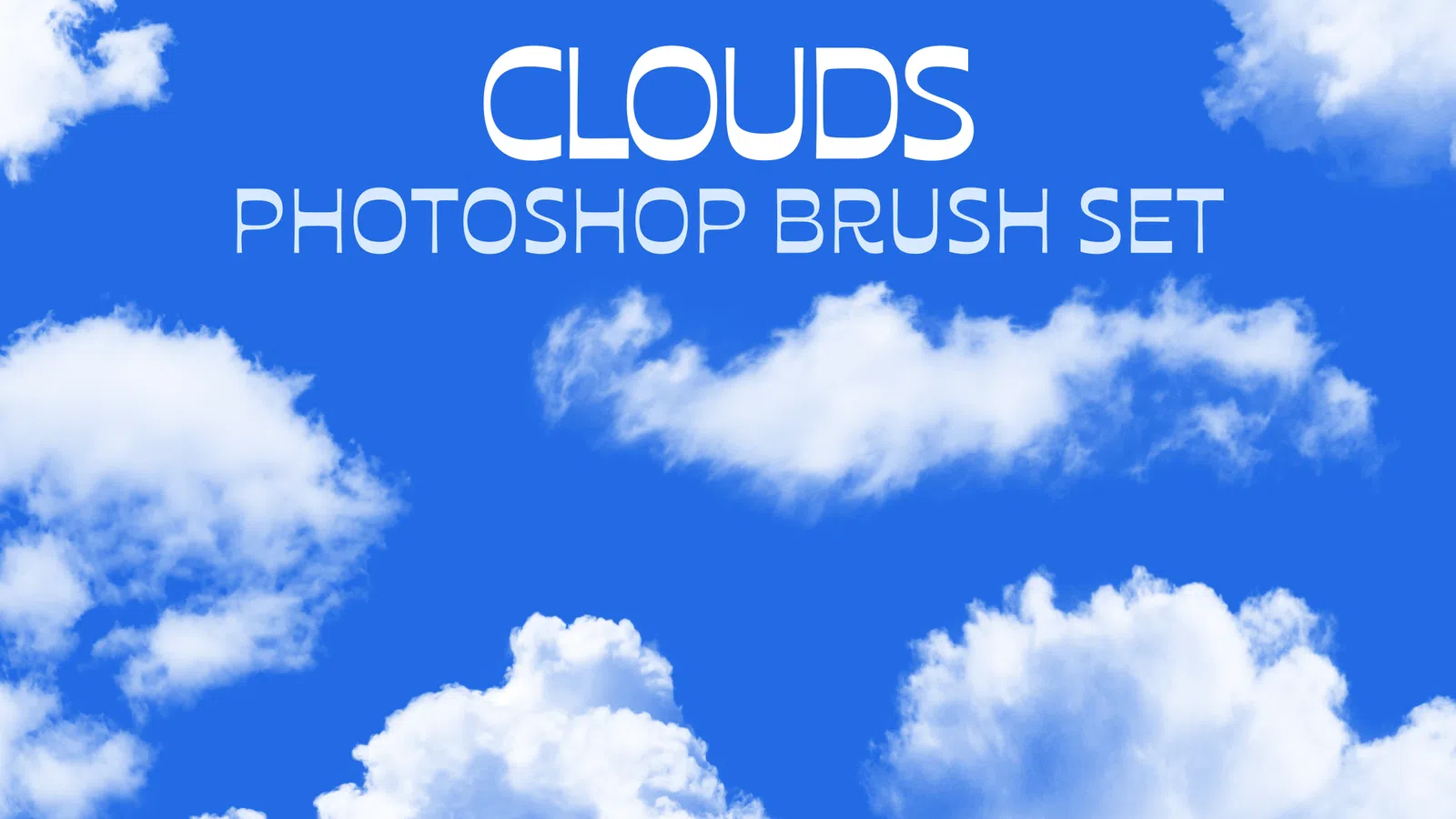
Cloud Brush Set is a Photoshop brush set intended for Illustration, Texture work, Lettering, Digital painting. After loading the ABR preset, test several marks on a blank layer to understand whether each brush behaves as a continuous stroke, textured stroke or stamp.
Cloud detail benefits from controlled contrast so it can sit behind type or subjects without becoming a hard-edged cutout. Brush size, spacing, flow and pressure response can change the result significantly, so tune those controls for the actual drawing tool and canvas size.
How to use this file
A safer workflow for ABR resources
- 01Import the ABR file through the Brushes panel or preset import command.
- 02Test whether the preset is a continuous stroke or a stamp before drawing.
- 03Adjust spacing, Shape Dynamics and Transfer to suit a mouse or pressure-sensitive tablet.
- 04Save customised versions under new names so the original brush remains available.
Ownership and licence
Original NexFonts resource.
Cloud Brush Set is identified by NexFonts as an original resource created and published by NexFonts. The editable source remains protected by copyright while the resource licence allows practical personal, commercial and client use in finished creative work.
Read the complete resource licence- Rights holder
- NexFonts
- Licence
- NexFonts Resource License
- Commercial use
- Allowed in finished creative work
- Client work
- Allowed in finished deliverables
- Modification
- Allowed for project use
- Source redistribution
- Not allowed
Best suited to
Practical uses for this resource.
These are suggested creative uses based on the resource type and preview. They are not restrictions on how you can use the finished design under the applicable licence.
Editing notes
- Test each brush on a blank layer before using it in finished artwork.
- Adjust spacing, flow and dynamics to match the intended mark.
- Use pressure controls only when the preset and tablet support them.
- Save customised brushes under new names so the originals remain intact.
Before you download
Format, compatibility and licence.
The resource is listed as ABR content and is delivered as a zip archive. Use Adobe Photoshop or another application only if it supports the required format and features.
Licence
Cloud Brush Set is published under the NexFonts Resource License. Personal and commercial use in finished creative work is allowed; resale or redistribution of the standalone editable source is not allowed.
Client work
You may use the resource in finished client work. Deliver exported or project-specific outputs rather than redistributing the untouched NexFonts source archive. Review the full resource licence if a client requires editable source delivery.
Compatibility
Software versions and third-party features can affect compatibility. For ABR files, verify the format opens correctly before building a time-sensitive client workflow around it.
Useful guides for brushes
Use these guides for the file type, editing workflow and licensing questions that commonly come up before client or commercial work.
Resource FAQ
Questions about Cloud Brush Set
Is Cloud Brush Set editable?
Yes. The brush presets can be loaded in Photoshop and settings such as size, spacing, opacity, flow and supported dynamics can be adjusted.
What software do I need for Cloud Brush Set?
Adobe Photoshop is the intended editor for this resource. If you use another application, confirm that it supports the ABR format and the specific features used by the file before starting a client project.
What size is Cloud Brush Set?
The resource page checks the public download-file metadata and shows the compressed file size near the download details when that metadata is available. Working dimensions can vary by file inside a pack, so check the extracted source or document properties for the final canvas size.
What can I customise in Cloud Brush Set?
Brush size, spacing, opacity, flow and dynamics can be adjusted after import. Save customised presets under a new name so the original brush remains available.
What is Cloud Brush Set best used for?
This resource is especially suited to Illustration, Texture work, Lettering, Digital painting. It can also be adapted for other projects when the visual treatment, licence and file format fit the intended result.
Can I use the downloaded resource commercially?
Yes. Original NexFonts resources may be used in personal and commercial finished creative work under the NexFonts Resource License. You may edit the resource for a project, but you may not resell, mirror or redistribute the standalone editable source file as a resource download.
How should I prepare Cloud Brush Set for a client or portfolio project?
Work from a duplicate of the source, replace all placeholder or sample content that applies to the file, adapt the result to the actual project, then export a clean presentation or delivery file while keeping the editable master archived separately.
What should I check before downloading Cloud Brush Set?
Confirm that ABR works with your software, review any listed dimensions or dependencies, read the licence, and make sure the visual treatment suits the final output instead of choosing only from the preview image.