Resource overview
What to know about Bloody Dripping Text Effect.
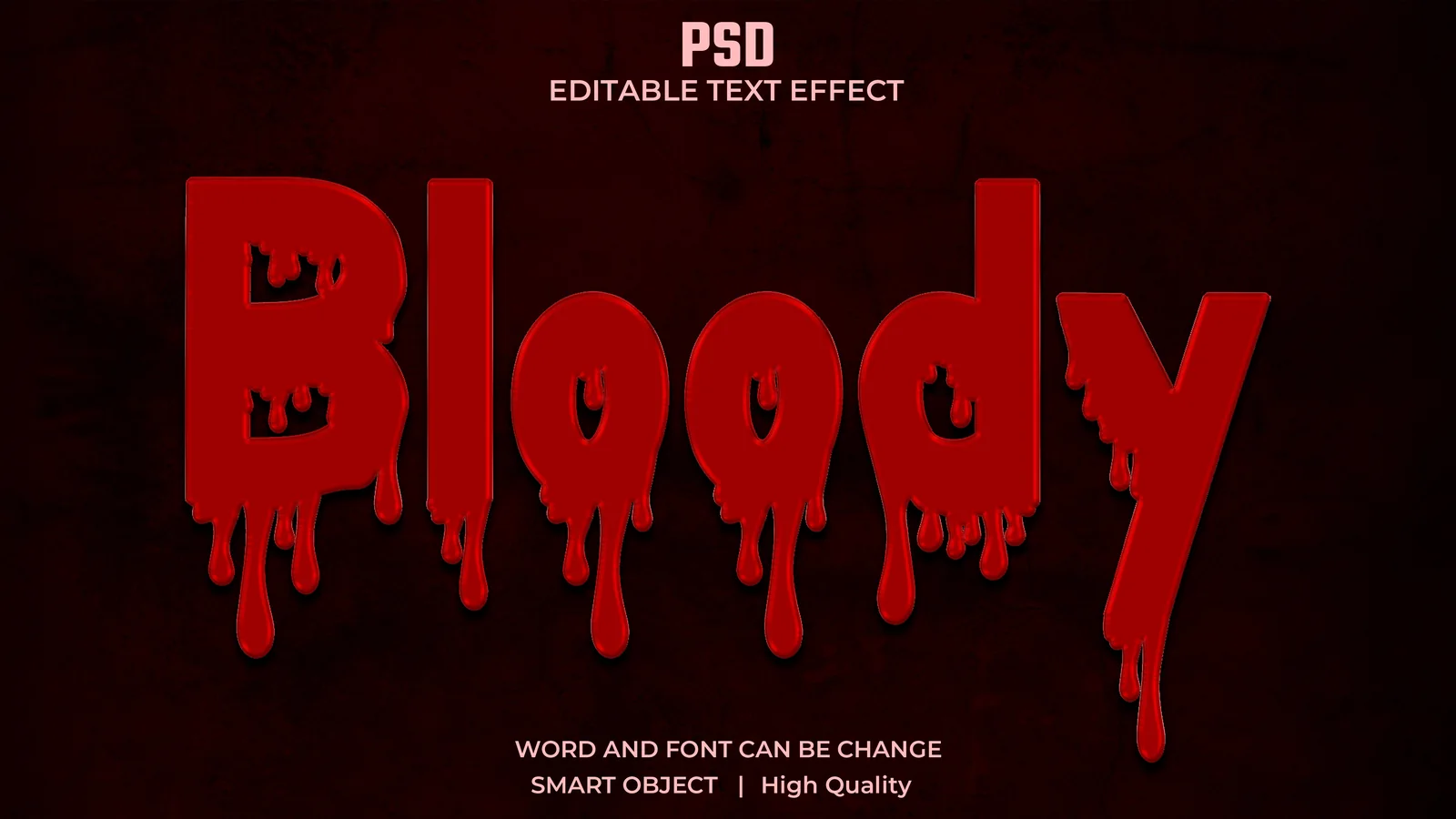
Bloody Dripping Text Effect creates horror-style display lettering with liquid red edges, heavy dimensional shading and an intentionally dramatic silhouette. It fits Halloween posters, thriller artwork, dark cover designs and social graphics where the title is meant to be the main visual event.
The drip shapes can become visually dense with long words, so test shorter headings and generous letter spacing first. On dark artwork, protect the brighter red edge highlights so the title does not collapse into the background at smaller sizes.
How to use this file
A safer workflow for PSD resources
- 01Open a duplicate of the PSD and inspect the Layers panel to identify the editable text layer, Smart Object or clearly labelled placeholder used by that file.
- 02Replace the sample wording using the editable method provided, then check font size, tracking and line breaks against the original composition.
- 03Adjust colour, layer styles, masks and lighting only where the file keeps those controls editable; avoid flattening the master PSD.
- 04Save the working PSD, then export a separate PNG, JPG or other final format for the layout that will use the effect.
Ownership and licence
Original NexFonts resource.
Bloody Dripping Text Effect is identified by NexFonts as an original resource created and published by NexFonts. The editable source remains protected by copyright while the resource licence allows practical personal, commercial and client use in finished creative work.
Read the complete resource licence- Rights holder
- NexFonts
- Licence
- NexFonts Resource License
- Commercial use
- Allowed in finished creative work
- Client work
- Allowed in finished deliverables
- Modification
- Allowed for project use
- Source redistribution
- Not allowed
Best suited to
Practical uses for this resource.
These are suggested creative uses based on the resource type and preview. They are not restrictions on how you can use the finished design under the applicable licence.
Editing notes
- Use short words when the dripping silhouette becomes crowded.
- Keep important drips clear of crop edges and poster margins.
- Test the title on both black and textured backgrounds.
- Reduce secondary horror textures if the lettering already carries enough detail.
Before you download
Format, compatibility and licence.
The resource is listed as PSD content and is delivered as a psd file. Use Adobe Photoshop or another application only if it supports the required format and features.
Licence
Bloody Dripping Text Effect is published under the NexFonts Resource License. Personal and commercial use in finished creative work is allowed; resale or redistribution of the standalone editable source is not allowed.
Client work
You may use the resource in finished client work. Deliver exported or project-specific outputs rather than redistributing the untouched NexFonts source archive. Review the full resource licence if a client requires editable source delivery.
Compatibility
Software versions and third-party features can affect compatibility. For PSD files, verify the format opens correctly before building a time-sensitive client workflow around it.
Useful guides for text effects
Use these guides for the file type, editing workflow and licensing questions that commonly come up before client or commercial work.
Resource FAQ
Questions about Bloody Dripping Text Effect
Is Bloody Dripping Text Effect editable?
Yes. The PSD is intended to be edited, but the exact method depends on its layer structure. Inspect the Layers panel to find the editable text or labelled placeholder.
What software do I need for Bloody Dripping Text Effect?
Adobe Photoshop is the intended editor for this resource. If you use another application, confirm that it supports the PSD format and the specific features used by the file before starting a client project.
What size is Bloody Dripping Text Effect?
The listed working dimensions are 4638 × 2610 px and the download is approximately 58.3 MB. Check the final output size you need before using the resource in a large print, video or high-resolution export.
What can I customise in Bloody Dripping Text Effect?
Inspect the PSD first. Editable wording may be a normal text layer, Smart Object or another labelled placeholder; colour flexibility depends on the layer styles, fills and adjustment layers included in that specific file.
What is Bloody Dripping Text Effect best used for?
This resource is especially suited to Horror titles, Halloween posters, Thriller covers, Dark promotions. It can also be adapted for other projects when the visual treatment, licence and file format fit the intended result.
Can I use the downloaded resource commercially?
Yes. Original NexFonts resources may be used in personal and commercial finished creative work under the NexFonts Resource License. You may edit the resource for a project, but you may not resell, mirror or redistribute the standalone editable source file as a resource download.
How should I prepare Bloody Dripping Text Effect for a client or portfolio project?
Work from a duplicate of the source, replace all placeholder or sample content that applies to the file, adapt the result to the actual project, then export a clean presentation or delivery file while keeping the editable master archived separately.
What should I check before downloading Bloody Dripping Text Effect?
Confirm that PSD works with your software, review any listed dimensions or dependencies, read the licence, and make sure the visual treatment suits the final output instead of choosing only from the preview image.